
Each Microsoft tenant requires a separate integration. Repeat the setup steps below for each tenant you want to connect to TENET.
Integration Setup Guide
Connect your Azure environment to TENET using the automated wizard or the manual steps below.
TENET Setup Wizard (Recommended)
The fastest way to connect TENET to your Azure environment is with the TENET Setup Wizard. It creates the app registration, configures API permissions and assigns the required roles in a few clicks. Watch the video below.
Manual Setup
Follow these steps to manually configure the Azure app registration and permissions required by TENET.
Step 1: Create an app registration
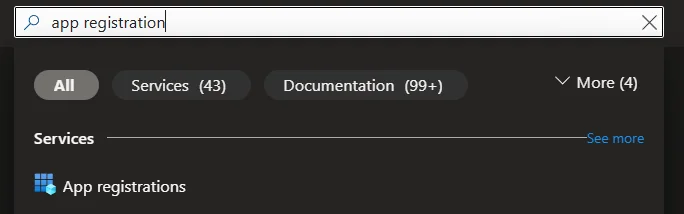
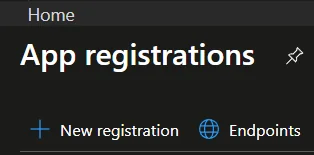
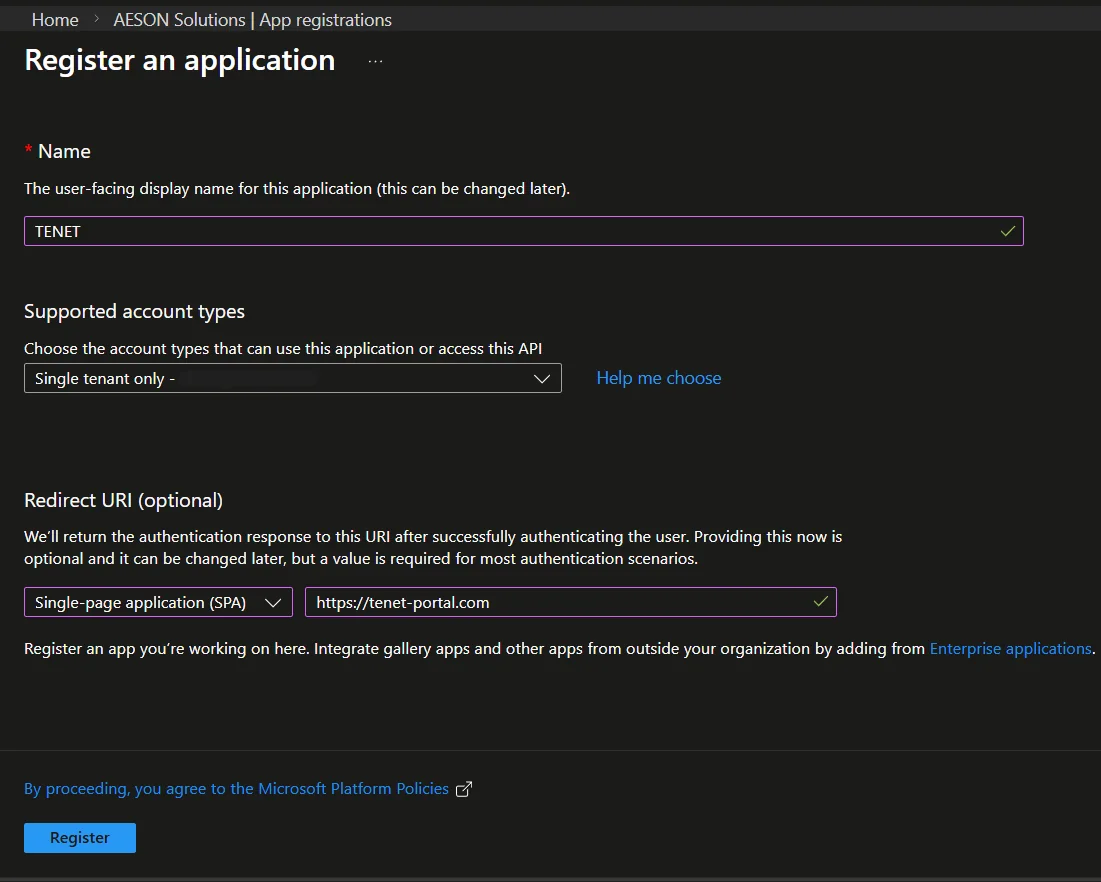
- Name: TENET
- Redirect URI: Select a platform: Single-page application (SPA)
- URL: https://tenet-portal.com
- Click Register
Step 2: Configure API Permissions
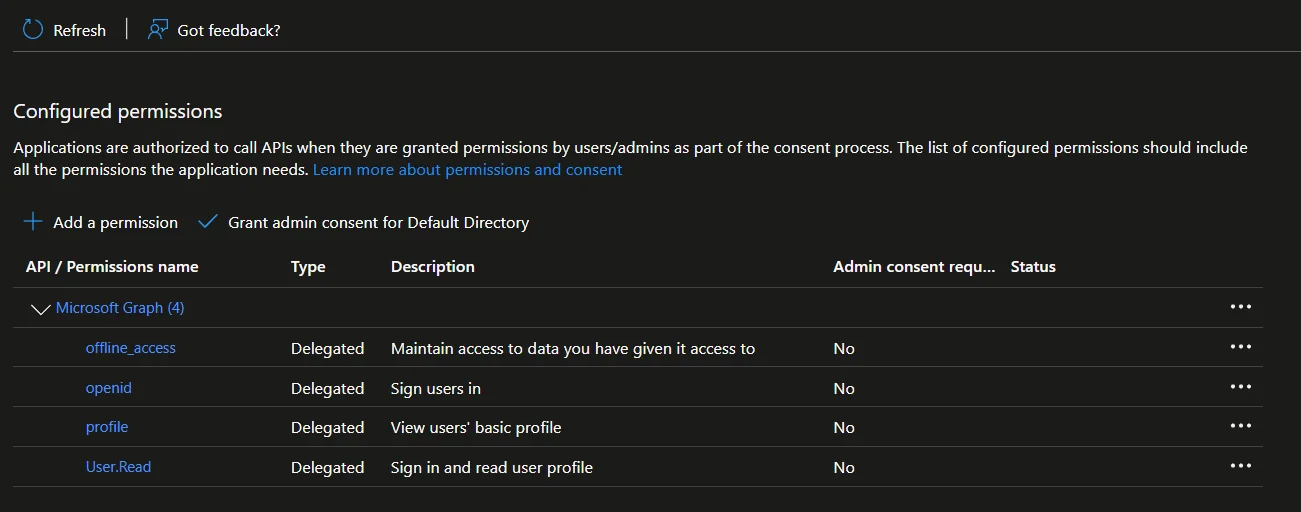
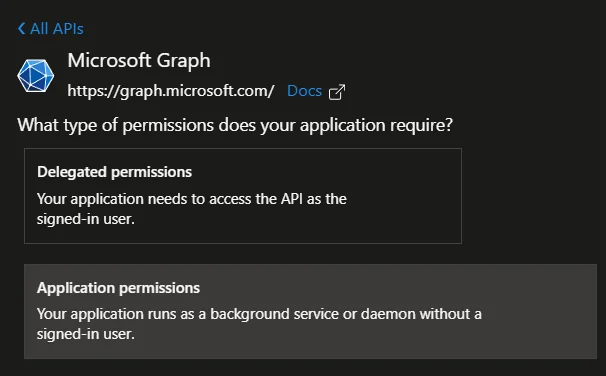
Ensure you select Application Permissions, not Delegated. This is required for the integration to work correctly.
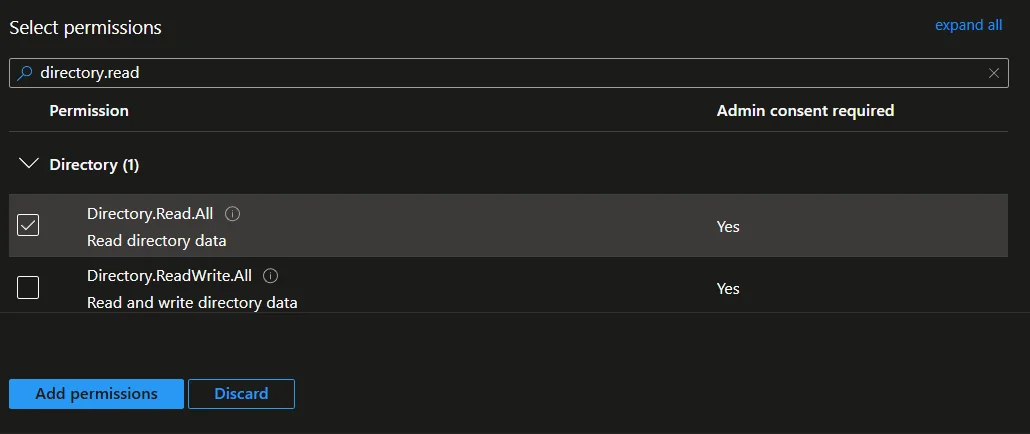
D. Search for and select AuditLog.Read.All, Directory.Read.All, Reports.Read.All, SecurityEvents.Read.All, SecurityIncident.Read.All, Sites.Read.All, DeviceManagementManagedDevices.Read.All, ThreatHunting.Read.All, ServiceHealth.Read.All, MailboxSettings.Read, AgentIdentity.Read.All, IdentityRiskEvent.Read.All, IdentityRiskyUser.Read.All, and IdentityRiskyServicePrincipal.Read.All
- Click add permissions
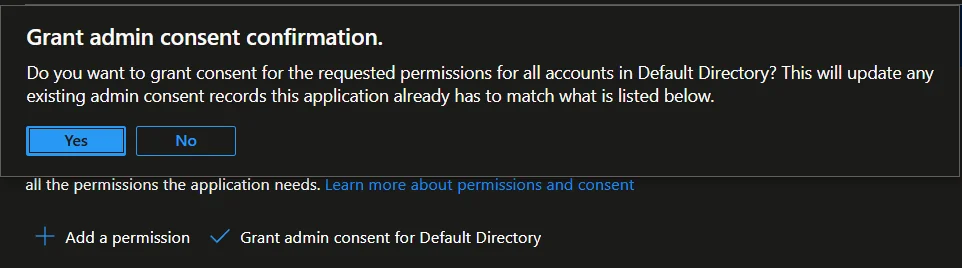
- Then click on Grant admin consent for [Your Tenant] and confirm selection
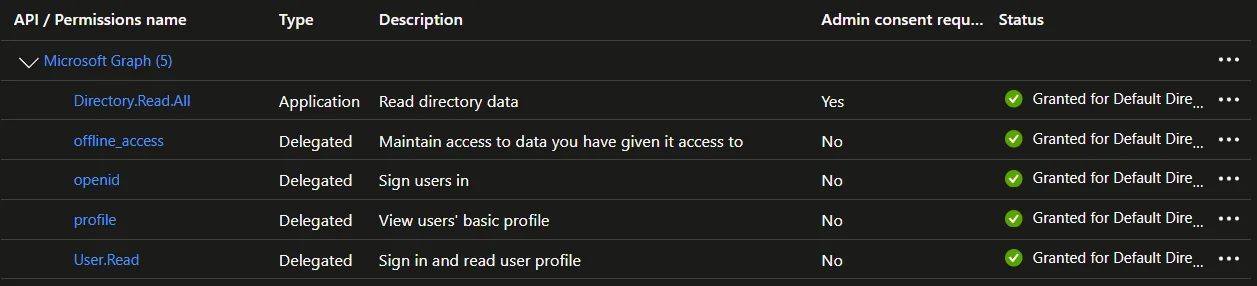
- Click + Add a permission → APIs my organization uses
- Search for Office 365 Management Activity API and select it
- Select Application permissions →
ActivityFeed.Read - Click Add permissions, then Grant admin consent
- Click + Add a permission → APIs my organization uses
- Search for
WindowsDefenderATPand select it - Select Application permissions:
Machine.Read.All,Vulnerability.Read.All,Alert.Read.All - Click Add permissions, then Grant admin consent
These permissions are non-fatal if your tenant has no Microsoft Defender for Endpoint licence. TENET will skip Defender data for unlicensed tenants.
- Click + Add a permission → APIs my organization uses
- Search for Application Insights API and select it
- Select Delegated permissions →
Data.Read - Click Add permissions, then Grant admin consent (tenant-wide)
Step 3: Assign RBAC roles
The following steps grant TENET read access to all subscriptions within the management group. To limit access to specific subscriptions only, follow the same steps but search for individual subscription names instead of Management Groups.
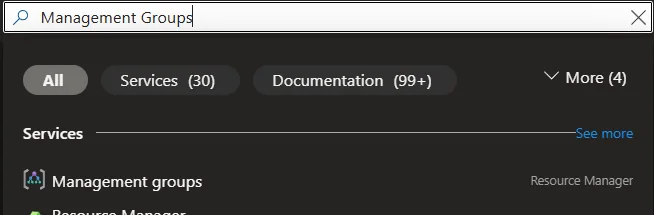
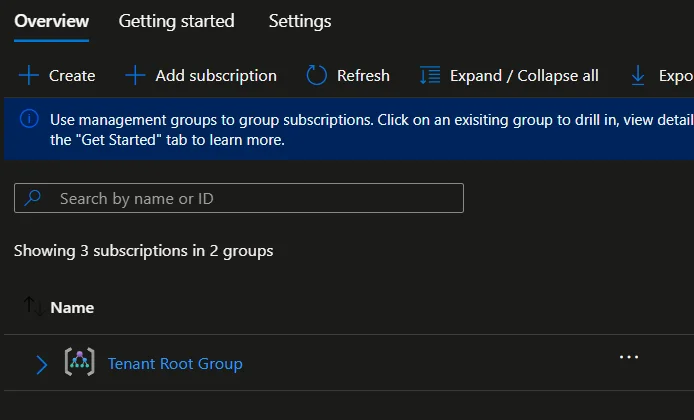
Global Administrator but can't access Management Groups? Follow Microsoft's guide to elevate your access.
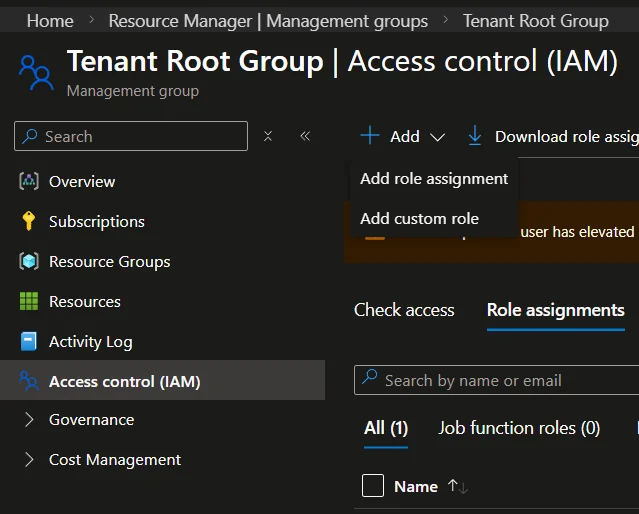
Repeat this step three more times to also assign Cognitive Services Usages Reader, Monitoring Reader, and Security Reader. All four roles are required.
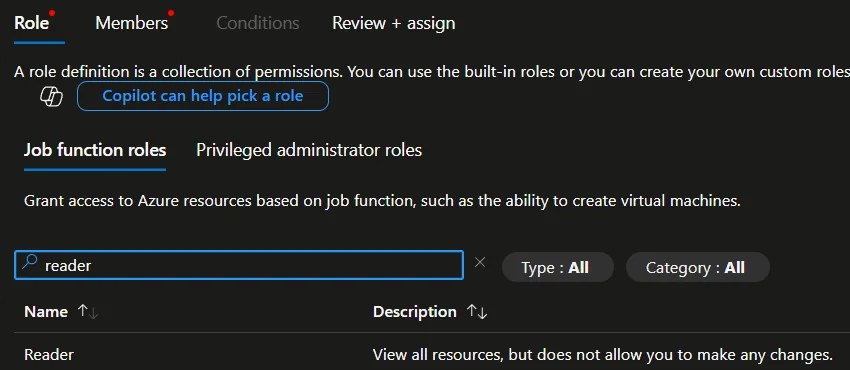
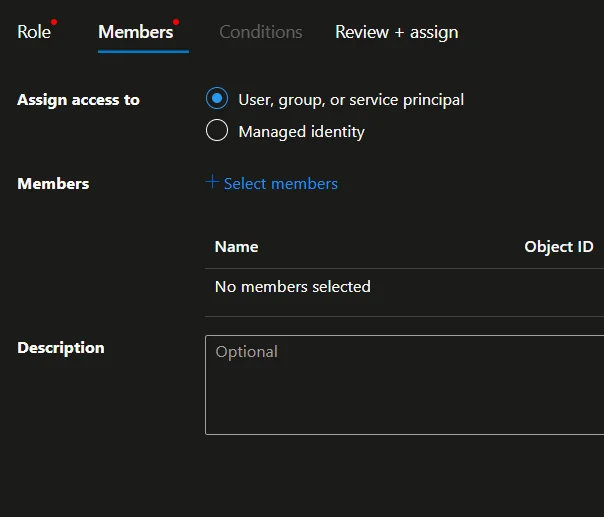
- Click on the Members tab, and then + Select members.
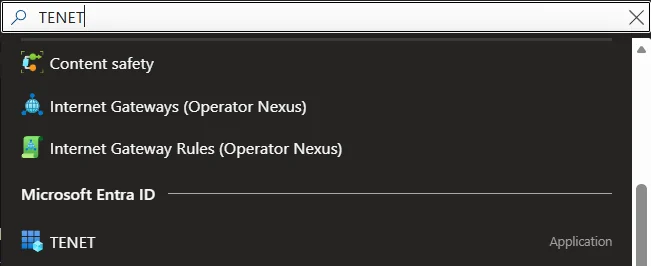
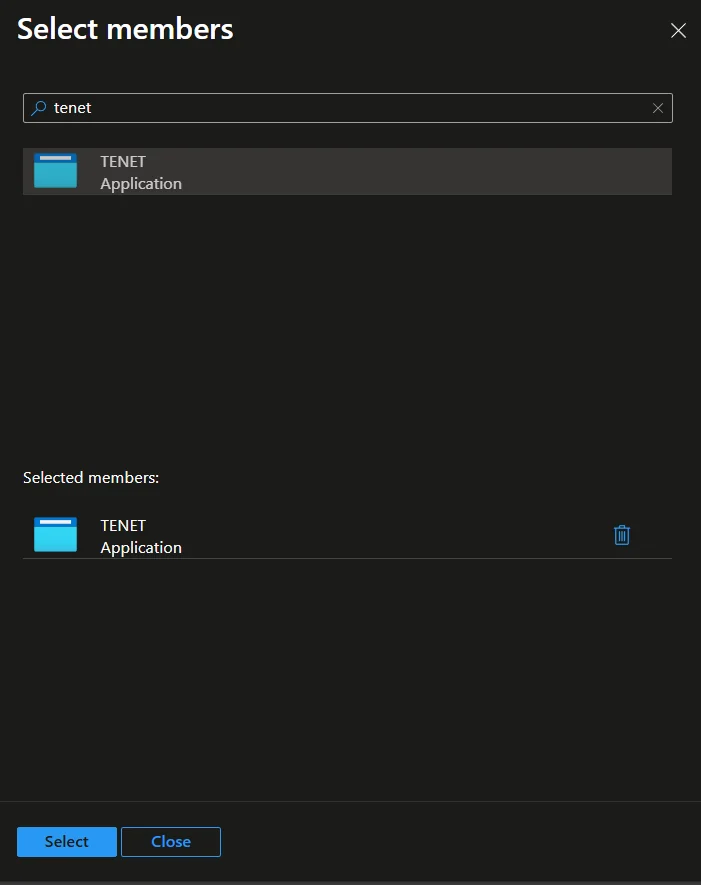
- In the + Select Members panel, search for the name of the app registration that you created earlier, then click on it
- Click Select at the bottom
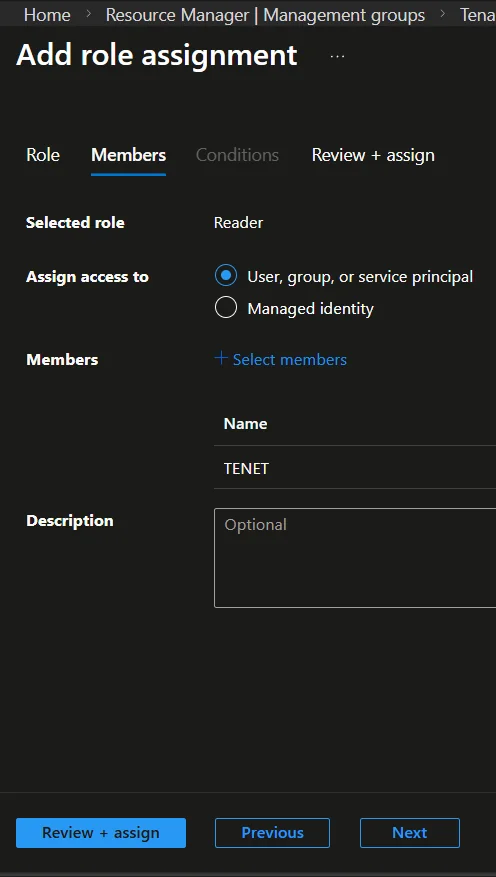
All four roles (Reader, Cognitive Services Usages Reader, Monitoring Reader, Security Reader) are required. If not using management groups, ensure each role is assigned per individual subscription.
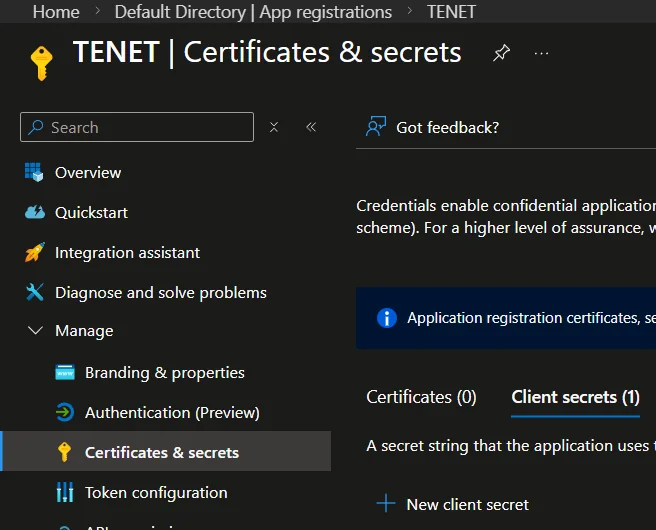
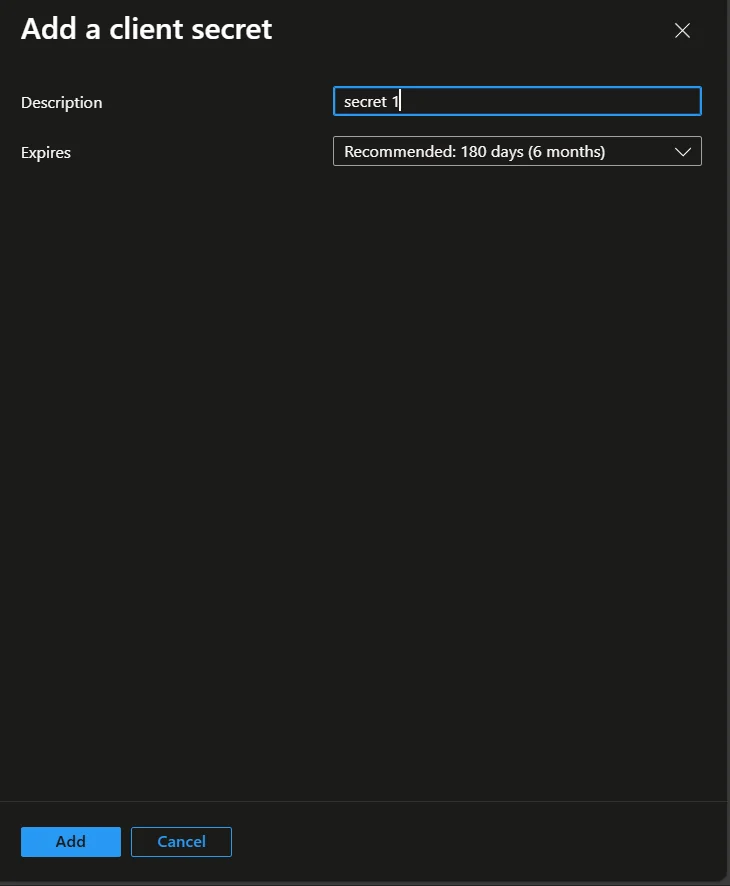
Step 4: Create Client Secret
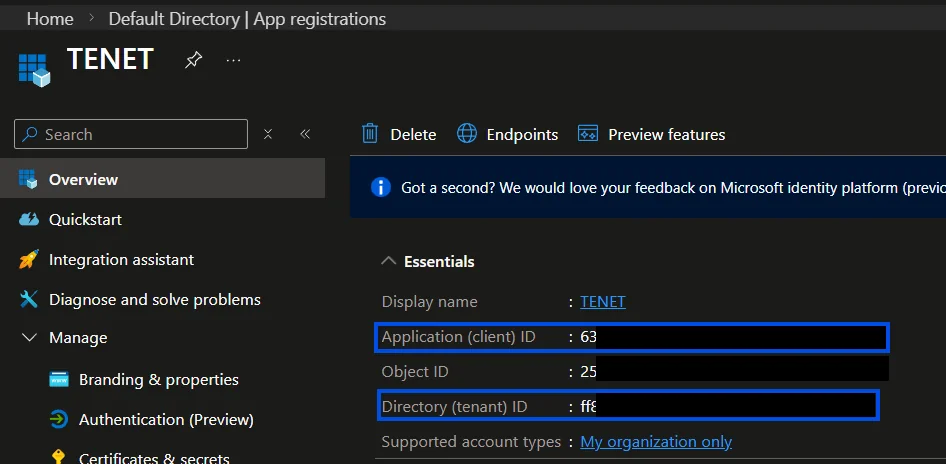
Please take note of the Application (client) ID and Directory (tenant) ID from this page. You will need to copy these across to the TENET Platform later.

Step 5: Add Credentials to TENET
In the dialog that opens, choose or enter manually, enter a friendly Tenant Name and the previously noted Tenant ID, Client ID & Client Secret, then click Register
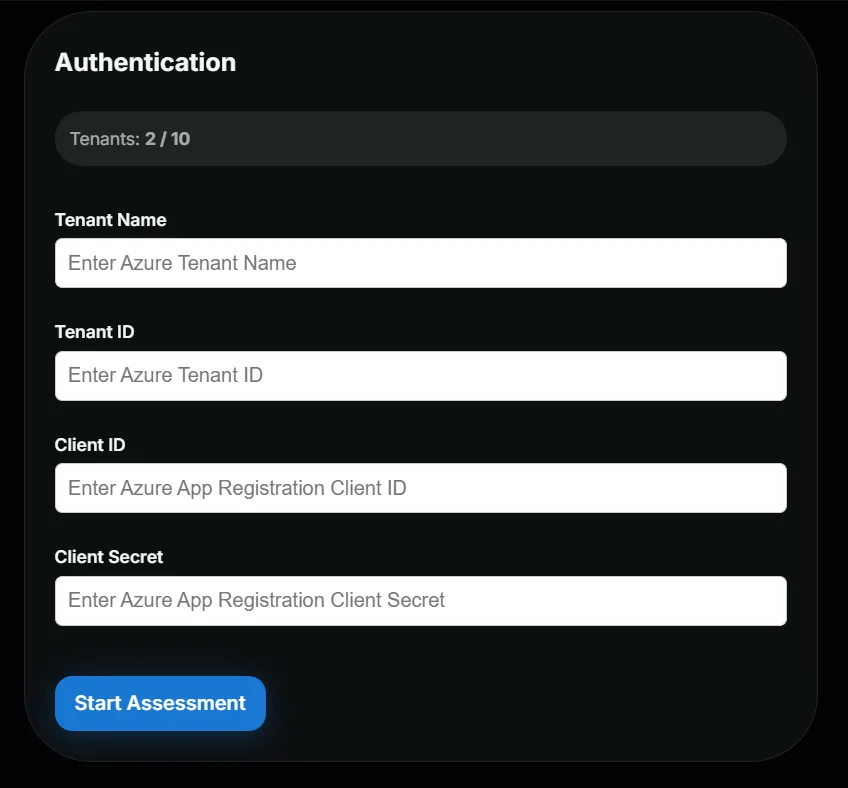
Wait for validation and initial data fetch to complete and you can start reviewing TENET's insights.
You're done! 🎉
Managing and Monitoring Assessments
Once connected, TENET keeps your Microsoft cloud environment up to date automatically. Here's what to expect.
TENET refreshes connected data automatically: anomalies hourly and compliance daily. A manual refresh is also available in the Directories tab.
If missing permissions or invalid credentials are detected, TENET surfaces error messages in the platform. Adjust your Azure role assignments accordingly.
Plan Limits
Microsoft cloud integration is available on all plans. The number of tenants you can connect depends on your plan.
Full access to all Scale plan features. Explore every capability with no restrictions during your trial.
Automated and on-demand assessments for a single Azure tenant with up to 5 full platform users.
Automated and on-demand assessments for multiple tenants simultaneously with a custom number of users.
Microsoft and third-party integrations
No agents or deployments required with out of the box integrations.

Surface risk exposure across VM configuration, patching, and access

Monitor scale set configurations for drift and exposure risk

Flag unencrypted or exposed managed disks across subscriptions

Assess web app configurations for public exposure and misconfigurations

Monitor serverless functions for insecure triggers and access risk

Track App Service Plan configuration and exposure risk

Surface exposure risk across static web app deployments

Monitor container app environments for misconfiguration and exposure

Assess AKS cluster configuration and access risk

Flag public access, weak encryption, and exposed storage accounts

Surface misconfigurations and exposure risk across SQL databases

Monitor Cosmos DB access and network configuration risk
Assess Cosmos DB for MongoDB access and exposure risk

Flag public access and weak configurations on PostgreSQL servers

Flag public access and weak configurations on MySQL servers

Monitor Redis Cache instances for exposure and access risk
Monitor Redis Enterprise instances for exposure and access risk

Surface misconfigured rules and exposure on Application Gateways

Monitor Load Balancer rules for unintended public exposure

Assess VPN and ExpressRoute gateway configuration risk

Flag exposure risk across Front Door and CDN profiles

Monitor NAT Gateway configuration for outbound exposure risk

Surface exposed APIs and weak policies in API Management

Monitor Service Bus namespaces for access and network risk

Flag exposure and access risk across Event Hubs namespaces

Surface overly permissive access policies on Key Vaults

Track backup coverage and configuration risk on Recovery Vaults

Surface identity risk across users, roles, sign-in risk, and third-party app consents

Ingest Microsoft's risky user and risk detection verdicts (full detail requires Entra ID P2)
Inventory AI agent identities with their owners, sponsors and permissions

Ingest Defender for Cloud findings into a unified risk view

Bring Sentinel incidents into the same view as TENET's risk posture

Pull Application Insights telemetry to surface operational risk

Ingest Azure Monitor metrics to flag anomalies and risk

Analyze Activity Logs to detect risky configuration changes

Track Azure resource health and Microsoft 365 service issues

Surface policy compliance gaps as risk exposure

Flag overly permissive NSG rules across your environment

Surface excessive permissions and role assignment risk

Query Log Analytics data to detect risk signals

Pull active Sev 0 to Sev 2 Azure Monitor alerts into the same view as your risk posture

Track settled spend by service and subscription to flag cost anomalies

Query your resource inventory to map dependencies and attack paths

Monitor Azure OpenAI deployments for access and data risk

Surface exposure risk across Cognitive Services resources

Flag misconfigured access on Azure AI Search services

Monitor Bot Service configurations for exposure risk

Assess ML workspace access and data exposure risk

Surface risk across AI Foundry projects and deployments

Ingest device threat signals to surface endpoint risk

Flag non-compliant and unmanaged devices as risk exposure

Surface oversharing and permission risk across SharePoint sites

Flag external sharing risk across OneDrive accounts

Surface mailbox rule abuse and forwarding risk
.svg)
Send TENET risk alerts directly to your Teams channels
Track license usage and unused seats as cost risk
Bring Defender incidents from Endpoint, Identity, Office 365 and Cloud Apps into one risk view
Analyze Exchange, SharePoint, Entra and DLP audit events for risky activity

Surface Purview DLP activity and Purview control gaps in your Microsoft 365 risk view

Open and track TENET findings as tickets in Jira

Push TENET risk alerts directly into HaloPSA tickets
Connect your Microsoft cloud
Get up and running in minutes with TENET's native Microsoft cloud integration
14-day free trial · 2 min setup · No credit card required