
Most organizations running on Microsoft know they have risk in their tenant. Far fewer can say where it sits: which admin roles are over-assigned, which files are shared with anyone who has the link, which devices fall outside policy, or how far they are from NIS2 or NIST CSF 2.0.
A one-off audit answers that question weeks later and at a cost. The TENET Cloud Assessment Tool, our free Self-Service Assessment, answers it in about five minutes, using a read-only connection to your own Azure and Microsoft 365 environment.
What is the TENET Self-Service Assessment?
The Self-Service Assessment is a free, automated scan of your Azure and Microsoft 365 environment. You sign in with Microsoft, approve a consent screen, and TENET reads your configuration through Microsoft Graph and the Azure APIs. There is no agent to install and no questionnaire to fill in.
It is not a cut-down demo. The scan is the same one TENET runs when a paying customer connects a tenant, and the reports are the same reports customers download from the platform.
Why a risk baseline matters
Security and compliance work stalls when nobody can see the starting point. Teams end up fixing what was loudest last week instead of what carries the most risk exposure. Leadership asks "are we compliant?" and gets an opinion instead of evidence.
A baseline changes that. It shows where your Microsoft cloud risk is concentrated today, ranks it, and gives you something to measure progress against once remediation starts.
What the assessment checks
The scan covers identity, data, devices, cloud infrastructure and AI across one tenant connection:
- Identity risk in Entra ID: privileged role assignments, Azure role assignments, sign-in anomalies, MFA registration coverage and dormant accounts that still hold licenses.
- Data exposure in Microsoft 365: SharePoint and OneDrive sharing settings and files shared externally, including anonymous "anyone with the link" sharing.
- Device risk: Intune device compliance and Microsoft Defender for Endpoint risk levels.
- Azure infrastructure risk: Microsoft Defender for Cloud security recommendations, internet-facing ports in network security groups, and anomalies in workload metrics.
- Threat activity: active Microsoft Sentinel incidents and Microsoft Defender for Office 365 alerts.
- Third-party and AI risk: high-risk third-party apps with access to your tenant, Azure AI services open to public access, and AI agent identities without a sponsor or with high-risk permissions.
- Microsoft Secure Score: your current score and the controls behind it.
- License waste: unused Microsoft 365 licenses that can be reclaimed.
What you see depends on what your tenant uses. If you don't run Sentinel or include Azure subscriptions, those sections simply have less to show.
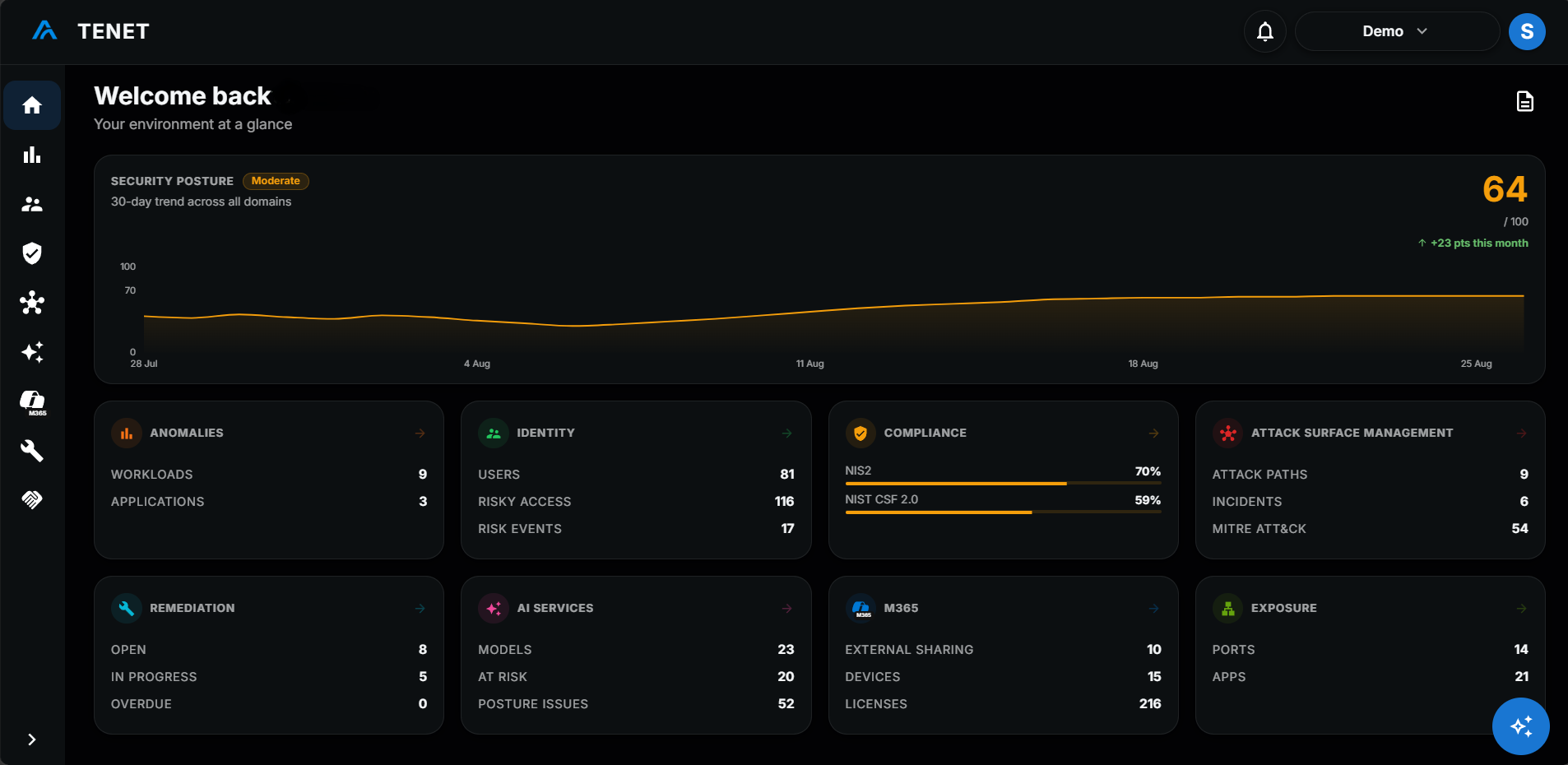
What you get
When the scan finishes, you can download three reports as PDFs:
- Cloud Security Report: your overall risk posture with prioritized recommendations, such as reviewing privileged roles, restricting anonymous sharing, restricting internet-facing ports and removing high-risk apps. It includes an AI agent governance section.
- Compliance Report: your gap against NIS2 or NIST CSF 2.0 (you can switch between them). It opens with an overall readiness score, then gives each obligation or function its own page with the open findings behind it.
- Copilot Readiness Report: whether your tenant is ready for Microsoft 365 Copilot, covering identity and access, data protection, device protection, app protection, and license utilization, including who is ready for a Copilot license and which licenses can be reclaimed.
Every report can be downloaded in English, Polski, Deutsch, Nederlands, Français, Italiano or Español.
The assessment also creates a 14-day TENET trial account, with no credit card. Sign in with the same Microsoft account and your results are already there across the platform, so you can move from findings to remediation without starting again.
Who it's for
- IT and security teams at small and mid-sized organizations who need a clear view of their Microsoft cloud risk without a consulting project.
- Compliance and risk owners preparing for NIS2 or aligning to NIST CSF 2.0 who need evidence of where the gaps are.
- Organizations planning a Copilot rollout who need to know whether identity, data and devices are ready before licenses go out.
- Managed service providers who want a fast, credible starting point for a conversation with a client.
If you run a larger or more complex environment and would rather have a guided review, you can book a free expert assessment with the TENET team instead.
Self-Service Assessment vs Microsoft Secure Score
Microsoft Secure Score is a good baseline. It lives in the Microsoft Defender portal and gives points for recommended actions across Microsoft 365 identities, apps and devices. Microsoft itself notes that Secure Score "isn't an absolute measurement of how likely your system or data could be breached". Azure resources are scored separately, by the secure score in Microsoft Defender for Cloud.
The Self-Service Assessment doesn't replace Secure Score. It reads it, alongside Defender for Cloud recommendations, and adds what neither score shows on its own:
- One view across Azure and Microsoft 365 instead of separate scores in separate portals.
- Exposure in context: externally shared files, internet-facing ports, risky third-party apps and AI agents sit next to the configuration findings.
- Compliance mapping: findings scored against NIS2 and NIST CSF 2.0, ready to share with leadership or auditors.
- Copilot readiness: a dedicated report on whether your tenant is ready for Microsoft 365 Copilot.
How your data is handled
- Read-only scanning. The scan runs with read-only Microsoft Graph permissions and read-only Azure roles (Reader, Security Reader and Monitoring Reader). The consent screen also asks the admin to approve setup permissions so TENET can create its own Entra app registration, which then has read-only access. TENET does not use the scan to change your workloads.
- No credentials shared. Sign-in happens entirely on Microsoft's own consent screen. TENET never sees or stores your password.
- Isolated and encrypted. Your data is kept separate from other customers' data and encrypted at rest and in transit.
- Removed if you don't continue. If your trial doesn't move to a paid plan, TENET removes the assessment tenant record and stored connection credential within 21 days.
The connection stays in place after the scan so your results remain available in TENET. Removing the tenant from TENET removes the stored credential, and you can delete the app registration in Microsoft Entra at any time.
The assessment is not an official audit and does not prove compliance with a regulation or framework. It shows you where your risk is, so you know what to fix first.
Get started in four steps
- Sign in with Microsoft. Use a Global Administrator account. To include Azure, the same account must also be an owner of the subscriptions you want scanned. You can skip this if you only want Microsoft 365.
- Approve the consent screen. Microsoft shows exactly which permissions TENET is asking for.
- Let the scan run. Most tenants finish in about five minutes. Larger environments take a little longer, and the page updates on its own.
- Download your reports. Pick a language and download the Cloud Security, Compliance and Copilot Readiness reports, then sign in to your trial to work through the findings.
Not the Global Administrator? The assessment page lets you send the request to your admin.
Run your free Self-Service Assessment or book a demo to walk through your results with the TENET team.